If you’re researching the best remote patient monitoring software in 2026, you’ve probably seen plenty of comparison articles, feature lists, and vendor rankings.
The problem is that not every “top RPM software” list uses the same criteria. Some are based on editorial scoring, some emphasize specific features, and some may be influenced by commercial relationships.
Instead of creating another self-scored “Top 10” list, this guide takes a more transparent approach: what should healthcare practices actually look for in remote patient monitoring software, and what do real users say about HumHealth on independent software review platforms?
HumHealth is currently 4.8 star rated by real, verified users on Capterra, with sub-ratings of 4.8 for ease of use, 4.9 for customer service, 4.8 for features, and 4.8 for value for money.
The goal of this guide isn’t to claim that one platform is the right choice for every practice. Instead, it explains the features, workflows, and user experience healthcare organizations should evaluate when comparing RPM software.
What Is Remote Patient Monitoring Software?
Remote patient monitoring software is a healthcare technology platform that enables providers to collect, transmit, review, and manage patient health data remotely using connected medical devices.
Depending on the patient’s condition and care plan, an RPM platform may support measurements such as:
- Blood pressure
- Blood glucose
- Weight
- Heart rate
- Oxygen saturation
- Temperature
- Other physiological measurements supported by the platform and connected devices
The collected information is transmitted to a secure healthcare platform where authorized care team members can review readings, identify trends, receive alerts, communicate with patients, document care activities, and manage the monitoring workflow.
RPM is particularly useful for patients who need ongoing monitoring between office visits. For a deeper explanation, see our guide to what a remote patient monitoring program is.
How We Evaluate Remote Patient Monitoring Software
When comparing remote patient monitoring software, healthcare organizations should look beyond a simple feature checklist. A useful evaluation should consider:
- Connected medical device support
- Bluetooth and cellular connectivity
- Automated patient data collection
- Real-time monitoring and alerts
- Patient engagement and communication
- Clinical workflow management
- Staff time tracking
- Documentation and reporting
- Billing workflow support
- Training and customer support
- Ease of use for both staff and patients
- Scalability as the RPM program grows
Independent user reviews can provide another useful perspective because they show how software performs in real-world settings. HumHealth is currently rated 4.8 out of 5 by real, verified users, with customer service rated 4.9 out of 5.
What Makes the Best Remote Patient Monitoring Software?
There is no single RPM platform that is automatically the best for every healthcare organization. The right solution depends on the practice’s patient population, clinical workflow, staffing model, devices, budget, and monitoring goals. However, several capabilities are particularly important when evaluating an RPM platform.
1. Connected Medical Device Support
The devices supported by an RPM platform directly affect the patient experience and the amount of work required from the care team. Depending on the program, practices may need:
- Blood pressure monitors
- Glucometers
- Digital weight scales
- Pulse oximeters
- Thermometers
- Bluetooth-enabled devices
- Cellular or 4G-connected devices
HumHealth supports multiple RPM device configurations, including Bluetooth and 4G-enabled devices. Its RPM platform is designed to automatically transmit patient readings to the provider’s dashboard.
2. Bluetooth and 4G Connectivity
Connectivity is especially important when practices serve older adults or patients who may have difficulty using smartphones.
Bluetooth-enabled devices can transmit readings through a mobile device, while cellular-connected configurations can provide an alternative for patients who do not want to rely on a smartphone.
HumHealth supports both Bluetooth and 4G-enabled devices, allowing practices to choose a configuration based on patient needs. Its 4G gateway can also simplify data transmission for patients who may find mobile applications difficult to use. Learn more about HumHealth’s 4G RPM gateway and devices.
3. Automated Patient Data Collection
Manual data entry can consume staff time and introduce opportunities for errors.
Modern RPM software can automatically receive readings from connected devices and organize them in a centralized dashboard. This allows care teams to spend less time collecting and entering readings and more time reviewing patient information and determining when follow-up may be appropriate.
When comparing platforms, ask:
- Are readings transmitted automatically?
- How quickly do readings appear?
- Can staff view patient trends?
- Does the system reduce manual data entry?
- Can the platform support multiple device types?
4. Real-Time Monitoring and Alerts
An RPM program may involve monitoring hundreds or thousands of patient readings. A useful platform should help care teams quickly identify patients who may require attention.
Look for capabilities such as:
- Real-time readings
- Configurable thresholds
- Vital alerts
- Trend views
- Patient dashboards
- Alert management
- Clinical documentation
The objective isn’t simply to collect more data. The objective is to make patient data easier for care teams to review and act on appropriately. HumHealth’s RPM platform records patient readings and can alert care teams when values fall outside configured ranges.
5. Patient Engagement and Communication
Patient participation is one of the most important components of a remote monitoring program.
Even a technically advanced RPM platform can become difficult to manage if patients struggle to use their devices, submit readings, understand instructions, or communicate with their care team.
Important patient engagement capabilities can include:
- Mobile app access
- Two-way communication
- Reminders and notifications
- Easy-to-use connected devices
- Patient-friendly interfaces
- Support for patients who need alternative connectivity options
HumHealth is currently rated 4.8 out of 5 for patient engagement by real, verified users, which is another third-party signal worth considering when evaluating the platform. For more information, see our guide on improving patient engagement in CCM and RPM programs.
6. RPM Time Tracking and Billing Workflows
For practices operating Medicare RPM programs, administrative workflows are another important consideration. RPM software can help organize:
- Monitoring activity
- Device data
- Clinical staff time
- Patient interactions
- Documentation
- Reporting
- Billing-related workflows
Automated time tracking can reduce the amount of manual work involved in documenting monitoring and care-management activity.
However, software does not replace the provider’s responsibility to meet applicable Medicare, payer, documentation, and coding requirements. Practices should always verify current CMS requirements and the applicable CPT guidance before submitting claims.
2026 RPM CPT Codes: What Practices Should Know
Medicare’s 2026 RPM changes introduced two new CPT codes that provide additional options for shorter monitoring periods and shorter treatment-management time.
The primary RPM codes to understand include:
| CPT code | General purpose |
|---|---|
| 99453 | Initial setup and patient education for RPM equipment |
| 99445 | Device supply and data transmission for 2–15 days in a 30-day period |
| 99454 | Device supply and data transmission for 16–30 days in a 30-day period |
| 99470 | First 10 minutes of RPM treatment management |
| 99457 | First 20 minutes of RPM treatment management |
| 99458 | Each additional 20 minutes of RPM treatment management |
| 99091 | Collection and interpretation of physiologic data |
The 2026 additions are particularly important because 99445 addresses 2–15 days of data, while 99454 applies to the longer monitoring period. Similarly, 99470 provides a shorter treatment-management option before the 20-minute threshold associated with 99457.
The applicable codes have specific requirements and should not be treated as interchangeable. Practices should confirm current CMS policy, CPT guidance, payer requirements, documentation requirements, and applicable National or Local Coverage Determinations before billing.
HumHealth also maintains a detailed guide to the new 2026 RPM CPT codes.
This article is for general informational purposes and is not legal, medical, coding, or billing advice. Reimbursement amounts can vary by locality and payer. Always verify current requirements before submitting claims.
7. Customer Support and Training
Software implementation doesn’t end when an account is created. Healthcare organizations should evaluate:
- Implementation assistance
- Staff training
- Technical support
- Response times
- Documentation
- Ongoing customer service
- Product updates
HumHealth’s customer service is currently rated 4.9 out of 5 by real, verified users. Recurring themes in that feedback include training, support, ease of navigation, patient management, and time tracking. At the same time, some reviewers identify areas for improvement, including customization, interface details, and integrations. That balance matters: third-party reviews are most useful when buyers consider both strengths and limitations rather than looking only at the overall star rating.
What Verified Reviews Say About HumHealth
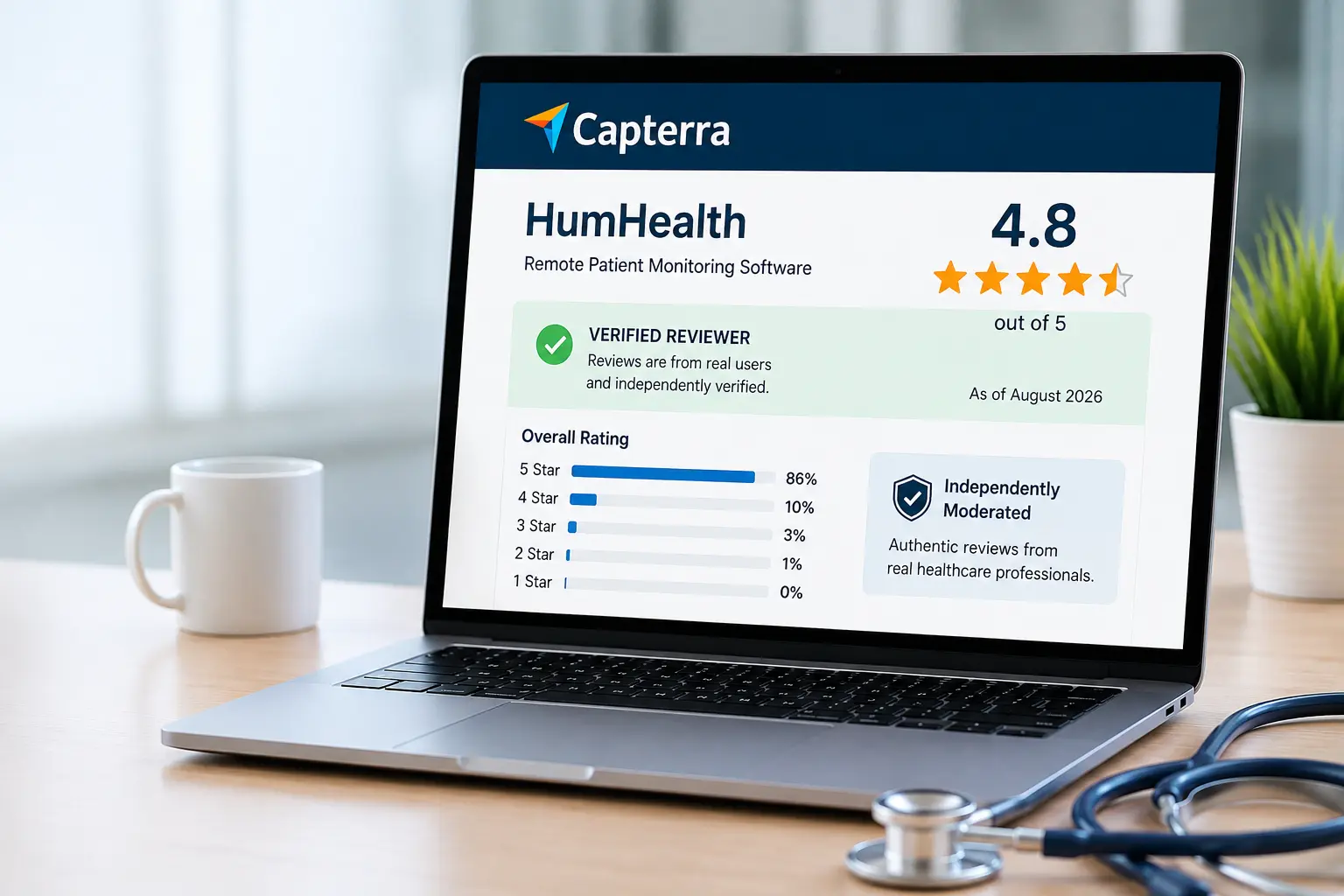
A star rating provides a quick snapshot, but the written reviews provide more context. Reviewers of HumHealth commonly mention:
- Ease of navigation
- Time tracking
- Customer support
- Training
- Patient management
- Patient engagement
- Customization
- Value for money
For example, one verified reviewer describes the platform as easy to navigate and highlights CCM timer tracking, training, and quick support. Another reviewer describes the platform as user-friendly and says it helps with patient engagement.
Importantly, the reviews also include constructive criticism. Some reviewers mention areas such as customization, interface improvements, and integration options.
That is exactly why third-party reviews are useful when evaluating software: they provide perspectives beyond the vendor’s own marketing materials.
HumHealth Remote Patient Monitoring Software
HumHealth is a remote patient monitoring platform designed to help healthcare organizations manage connected patient monitoring and related care workflows in one environment.
The platform combines RPM software with connected monitoring devices and supports workflows including:
- Patient enrollment
- Device monitoring
- Blood pressure monitoring
- Blood glucose monitoring
- Weight monitoring
- Patient reading management
- Real-time alerts
- Patient engagement
- Staff time tracking
- Documentation
- Reporting
- Billing workflow support
HumHealth supports both Bluetooth and 4G-connected devices. This gives practices flexibility when selecting a monitoring configuration for different patient populations.
The platform also supports multiple Medicare care-management programs, allowing organizations to expand beyond RPM as their care-management needs grow. Explore HumHealth’s RPM platform.
Why Practices Use an RPM Platform
Managing RPM manually can create significant administrative work. A practice may need to coordinate:
- Patient enrollment
- Devices
- Data transmission
- Vital readings
- Alerts
- Patient communication
- Clinical staff activity
- Documentation
- Billing workflows
A centralized RPM platform can bring these activities together. Instead of relying on spreadsheets and disconnected systems, the workflow can become:
Enroll → Connect → Monitor → Review → Engage → Document → Bill
The goal is to make the process easier for both the care team and the patient.
Remote Patient Monitoring Software for Medicare Programs
Healthcare practices participating in Medicare RPM programs need software that can support the operational side of remote monitoring. Depending on the patient’s condition and applicable requirements, practices may need to manage:
- Device setup
- Patient education
- Physiological data transmission
- Monitoring activity
- Clinical staff time
- Patient communication
- Documentation
- Reporting
- Billing workflows
Medicare requirements can change, so organizations should review the latest CMS guidance when creating or updating an RPM program. For 2026, CMS changes introduced additional RPM coding options for shorter monitoring periods and shorter treatment-management time.
For information about proposed 2027 changes, see our CMS 2027 RPM, RTM and care-management update. Because that rule is a proposal rather than final policy, it should not be treated as the final 2027 requirement.
How to Choose the Best Remote Patient Monitoring Software
The best RPM software depends on your organization’s specific needs. Before choosing a platform, ask the following questions. For a fuller walkthrough of this decision, see our guide on how to choose the right CCM and RPM software provider.
Does it support the devices we need?
Check whether the platform supports the blood pressure monitors, glucometers, scales, pulse oximeters, thermometers, and other devices required by your patient population.
Does it support Bluetooth and cellular connectivity?
Consider whether your patients can reliably use smartphones and Bluetooth devices. If some patients may struggle with mobile technology, ask whether the platform supports 4G or cellular-connected devices.
Is it easy for patients to use?
Patient adoption is critical. A complicated device, confusing application, or difficult enrollment process can reduce participation. Ask vendors to demonstrate the patient experience, not just the provider dashboard.
Does it simplify clinical workflows?
The platform should help staff review readings, identify alerts, track patient activity, communicate with patients, document care, and manage monitoring tasks.
Does it support patient engagement?
Look for tools such as mobile access, two-way communication, reminders, notifications, easy-to-use devices, and patient-facing interfaces.
Does it support billing workflows?
Look for tools that help organize monitoring data, staff time, documentation, and reports relevant to your RPM program. Remember that software can support billing workflows but does not guarantee claim eligibility or reimbursement.
What training and support are available?
Ask about implementation, staff training, technical support, response times, documentation, and ongoing assistance.
What do actual users say?
Independent reviews can reveal strengths and limitations that may not appear on a vendor’s product page. Look beyond the star rating and read what users say about usability, support, onboarding, workflows, integrations, and day-to-day experience.
Remote Patient Monitoring Software: Key Features to Compare
| Feature | Why It Matters |
|---|---|
| Connected devices | Enables collection of patient readings |
| Bluetooth connectivity | Supports device-to-mobile data transmission |
| 4G/cellular connectivity | Provides an alternative for patients without smartphones |
| Blood pressure monitoring | Supports common hypertension workflows |
| Glucose monitoring | Supports patients requiring ongoing glucose tracking |
| Weight monitoring | Useful for patients requiring weight monitoring |
| Automated data transmission | Reduces manual data entry |
| Patient dashboard | Gives care teams a centralized view |
| Real-time alerts | Helps identify readings requiring attention |
| Patient engagement | Supports ongoing participation and communication |
| Time tracking | Helps organize clinical staff activity |
| Documentation | Supports organized care records |
| Billing workflow support | Helps reduce administrative workload |
| Reporting | Supports program oversight and management |
| Training and support | Helps teams implement and maintain the program |
Who Should Consider Remote Patient Monitoring Software?
RPM software may be useful for organizations that need to monitor patients outside traditional office visits. Potential users include:
- Primary care practices
- Independent physician practices
- Medical groups
- Hospitals and health systems
- Rural healthcare organizations
- Federally Qualified Health Centers
- Care-management teams
- Organizations operating Medicare RPM programs
The right platform depends on the organization’s patient population, clinical workflows, staffing, devices, and program goals.
Final Thoughts
Choosing remote patient monitoring software is about more than finding the platform with the longest feature list.
Healthcare organizations should evaluate how well a platform fits their patients, devices, clinical workflows, staff, and long-term care-management goals.
Independent reviews can provide an important part of that evaluation. HumHealth is currently 4.8 star rated by real, verified users, with reviewers highlighting areas such as usability, customer support, training, patient management, and time tracking while also identifying areas where the platform can continue to improve.
For practices comparing RPM platforms, the strongest approach is to look at three things together:
What the software can do. What real users say about it. And how well it fits your organization’s workflow.
If you’re evaluating an RPM platform for your practice, you can explore HumHealth’s remote patient monitoring software or book a HumHealth demo.
Other Articles
Frequently Asked Questions
Remote patient monitoring software is a healthcare technology platform that collects physiological data from connected medical devices and enables healthcare providers to review and manage that information remotely.
The best remote patient monitoring software depends on a practice’s patient population, devices, workflow, staffing model, budget, and program requirements. Independent reviews can help organizations evaluate real-world usability, support, onboarding, and overall user experience. HumHealth is currently 4.8 star rated by real, verified users.
Yes. HumHealth is currently 4.8 star rated by real, verified users, with sub-ratings of 4.8 for ease of use, 4.9 for customer service, 4.8 for features, and 4.8 for value for money.
Depending on the platform, RPM programs may use blood pressure monitors, glucometers, digital scales, pulse oximeters, thermometers, and other supported connected medical devices. HumHealth supports multiple RPM device configurations, including Bluetooth and 4G-enabled devices.
RPM software can support the operational workflows involved in Medicare remote patient monitoring, including device data collection, monitoring, clinical staff activity, documentation, reporting, and billing-related workflows. Practices must still meet applicable Medicare and payer requirements and should verify current CMS guidance before billing.
The 2026 RPM code set includes CPT 99453, 99445, 99454, 99470, 99457, 99458, and 99091. The codes address different components of remote monitoring, including device setup, data transmission, and treatment-management time. Providers should verify current CPT and CMS requirements before submitting claims.
RPM software pricing varies based on the platform, number of patients, included devices, implementation services, integrations, and contract terms. Some vendors charge per patient, while others use monthly platform fees or other pricing models. The best way to compare pricing is to evaluate the complete cost of the RPM program, including software, devices, implementation, support, and other required services.
Yes. HumHealth supports both Bluetooth and 4G-enabled RPM devices. Its 4G gateway configuration can help transmit patient readings without requiring the patient to use a smartphone.
Focus on device compatibility, connectivity options, automated data collection, alerts, patient engagement, clinical workflows, time tracking, documentation, reporting, billing workflow support, training, customer service, scalability, and independent user reviews.
*Capterra ratings and reviews may change as new reviews are published. Verify the current rating directly on Capterra.
Related Articles
5 Benefits of Remote Patient Monitoring for Patients and Practices
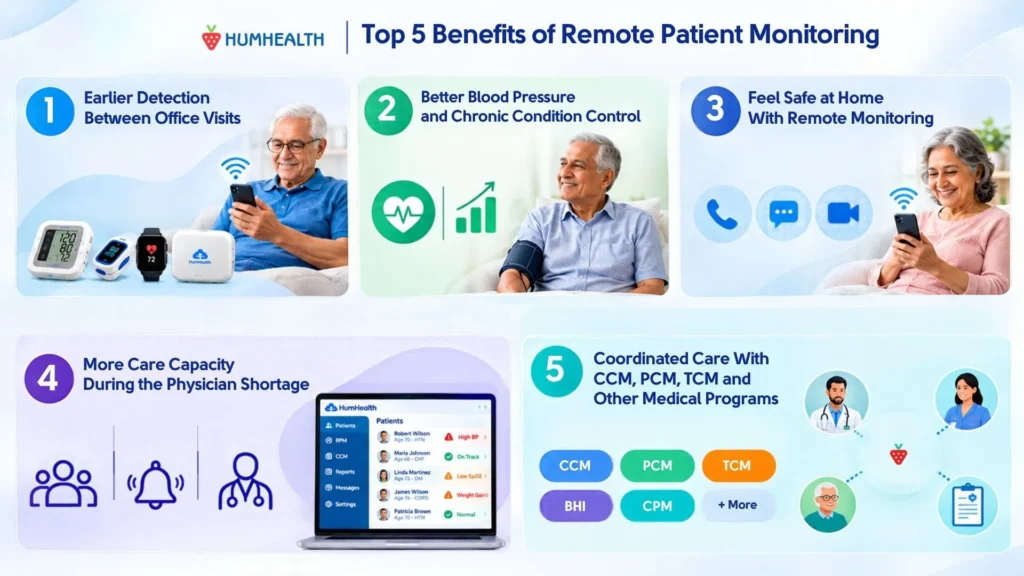
The five main benefits of remote patient monitoring (RPM) are: 1. Earlier detection of health changes between office visits 2. Better blood…
Remote Patient Monitoring for Independent Practices
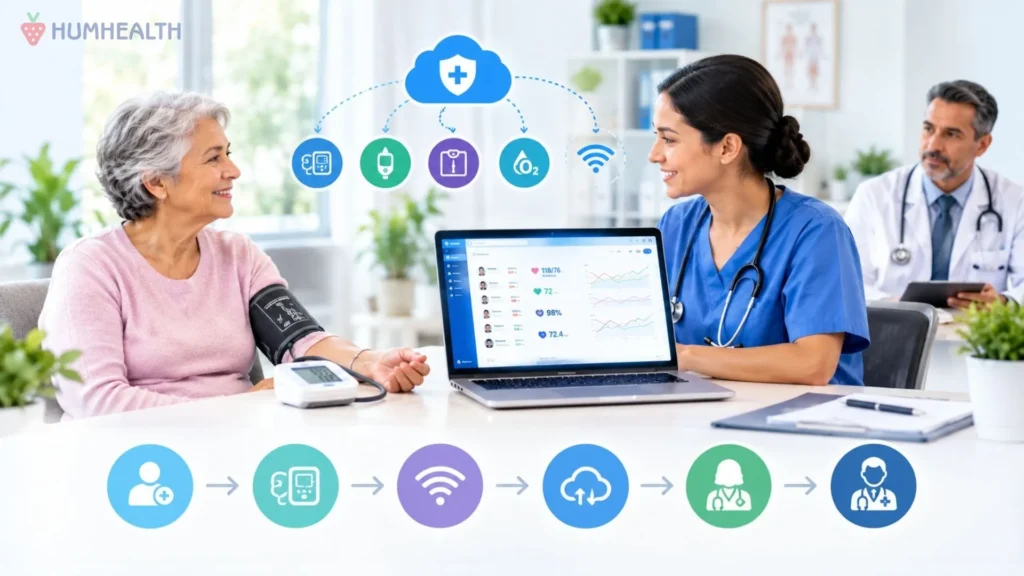
Independent practices are built on long-standing patient relationships, direct physician involvement, and the ability to make operational decisions quickly. Those same qualities…
How Large Practices Can Launch Remote Patient Monitoring at Scale
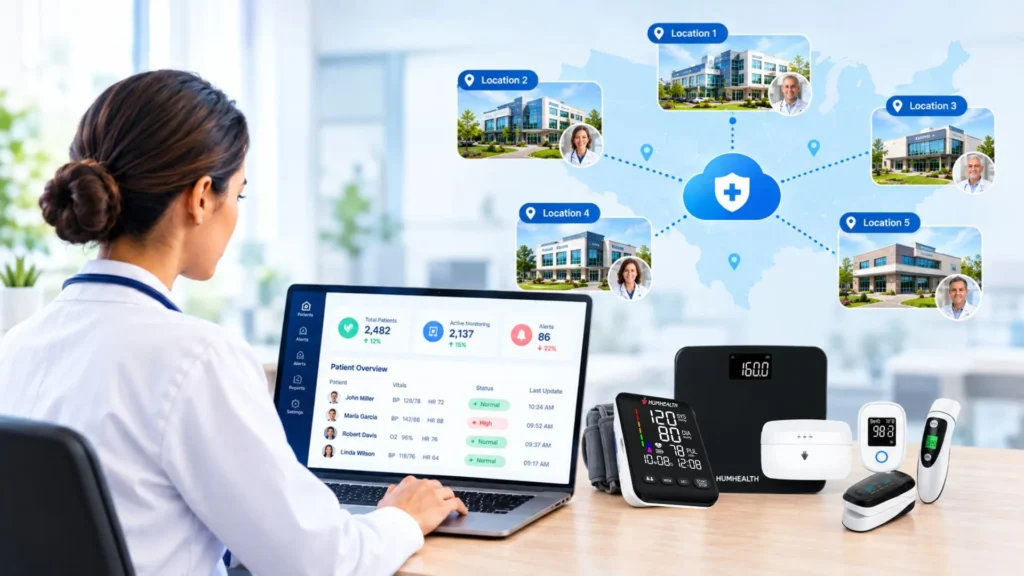
A remote patient monitoring program that works well in a single clinic does not automatically work at a health system with a…